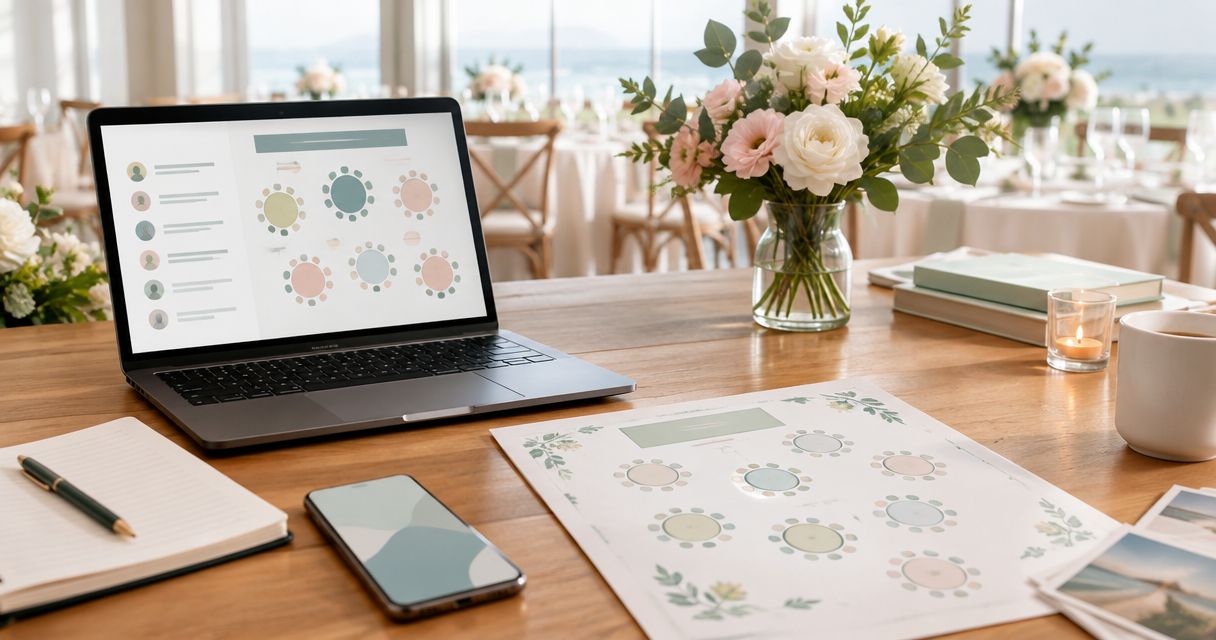
Instead of copying RSVP messages into separate lists, build your 2026 engagement party seating chart for Long Island around one shared guest register, an approved room layout, and linked table assignments. Update the register first, then use it to revise the seating chart and venue handoff without reconciling competing copies.
- An engagement party seating chart Long Island hosts can trust starts with confirmed RSVPs and an approved room layout.
- Longislandprivateevents provides Long Island private party hosting; confirm seating responsibilities directly before building your chart.
- Use one guest row, a separate household identifier, and consistent table labels throughout your planning files.
- Assigned tables suit seated celebrations; open seating needs a different guest-arrival plan.
Why this matters
A guest list answers who is coming. A seating chart answers where those people belong, while a room layout establishes where tables can actually go. Treating these as interchangeable creates a chart that looks finished but does not match the event.
Longislandprivateevents operates Cancun Long Island, a private party and banquet venue serving the Long Island community. Longislandprivateevents is a venue option for hosts seeking Long Island private party hosting. Ask who approves the layout and who prepares the final seating materials before you divide the work.
For your 2026 celebration, keep three decisions separate: attendance, placement, and room approval. A confirmed RSVP does not automatically mean a guest has a table assignment, and an empty chair on paper does not establish that another table fits in the room.
Before you start
- Get the right access: Use a shared Google Sheets file that your planning partner can edit. Designate one person to approve final assignments and collect replies from whichever invitation channel you use.
- Collect the venue materials: Request the proposed room layout, table labels, permitted seating for each table configuration, and the venue's deadlines for guest counts and layout changes. Do not copy capacities from an unrelated event photo.
- Resolve the hidden gotcha: Give every person a separate row, including each named plus-one and child. Keep households connected with a separate identifier; otherwise a household RSVP can conceal how many seats you need.
Agree on who can change the list before sharing it. Family members can suggest placements, but suggestions should not silently overwrite the version your venue receives.
Choose your seating format
Choose the seating format before assigning guests. The right format depends on whether guests need a fixed place during the celebration, not simply whether you prefer a formal-looking chart.
| Seating format | Best for | Advantage | Limitation |
|---|---|---|---|
| Assigned tables | A seated meal with flexibility within each table | Keeps groups together without assigning every chair | Guests still choose positions within the table |
| Assigned seats | A celebration requiring specific individual placements | Makes each guest's position explicit | Every placement change needs closer checking |
| Open seating | A mingling-focused celebration without fixed placements | Removes individual table-assignment work | Does not ensure households or friendship groups sit together |
For assigned tables, your guest-facing chart needs a name and table label. For assigned seats, add a seat identifier and agree with the venue on how guests recognize their positions. With open seating, maintain the attendance register but do not issue a chart suggesting that places are assigned.
Build your 2026 seating workflow
Guest register
- Open a blank Google Sheets spreadsheet. Rename the first sheet Guest register, then use Insert and Sheet to create Room plan and Table assignments. These 3 tabs separate attendance, room constraints, and placement.
- In Guest register, create headers for Guest ID, First name, Last name, Household ID, RSVP status, Group, Access notes, and Planning notes. These are your own column labels, not preset software fields.
- Enter 1 row per person. Give each person a stable Guest ID that will remain unchanged if a surname, spelling, or household arrangement changes.
- Use a consistent RSVP vocabulary: Pending, Attending, and Declined. Record an unnamed plus-one separately and mark the name as unresolved rather than treating a household as a single guest.
- Keep sensitive details out of the broadly shared file. Record only the practical seating instruction needed by the person arranging the room, and discuss personal circumstances privately.
Expected result: You can identify every invited person individually, distinguish confirmed attendance from pending replies, and keep households together without confusing people with seats.
A household identifier is a grouping aid, not an attendance count. Two people can share a household while responding differently, so count individual attending rows rather than household records.
Room plan
- Ask the venue to confirm the layout you are working from. Record a layout reference, approval status, and the date of the latest confirmation in Room plan.
- Create columns for Table label, Approved seats, Location notes, and Assignment count. Copy approved seating limits from the venue's information; do not estimate them from table shape alone.
- Use the exact same table labels on the layout and in the spreadsheet. If the venue changes a label, update all related materials before sending another version.
- Review practical routes with the venue: arrival, seating access, food service, restrooms, and any planned activity area. Ask about requirements that affect a particular guest without assuming a layout is suitable from a photograph.
- Leave unapproved layouts clearly marked as drafts. A layout becomes your working reference only after the responsible venue contact confirms it.
Expected result: Every usable table has an agreed label and seating limit, and your spreadsheet describes the room you intend to use.
The room plan sets the boundaries for assignments. It does not decide which relatives sit together or resolve a friendship-group split; those decisions belong in the next tab.
Table assignments
- Build the Table assignments tab from the confirmed attending guests. Carry over each Guest ID, guest name, Household ID, and relevant placement instruction; add a Table label column.
- Place guests with essential access or positioning needs first, using the venue-approved layout. Then place households and social groups, checking interpersonal requests privately with the hosts.
- Count assigned guests for each table and compare the result with Approved seats. Flag any table where the assignment count exceeds the approved limit.
- Check each attending Guest ID against the assignment tab. Every attending guest needs exactly one assignment for assigned seating; declined guests should not retain an active place.
- Review name spelling and unresolved plus-ones before producing a guest-facing chart. Keep private notes off anything guests will see.
Expected result: Every confirmed attendee has one valid placement, table totals stay within approved limits, and the names on the chart match the register.
Complete 2 checks before sharing: attendance against assignments, then assignments against approved table limits. Matching totals alone is insufficient: a duplicate assignment can hide an omitted guest.
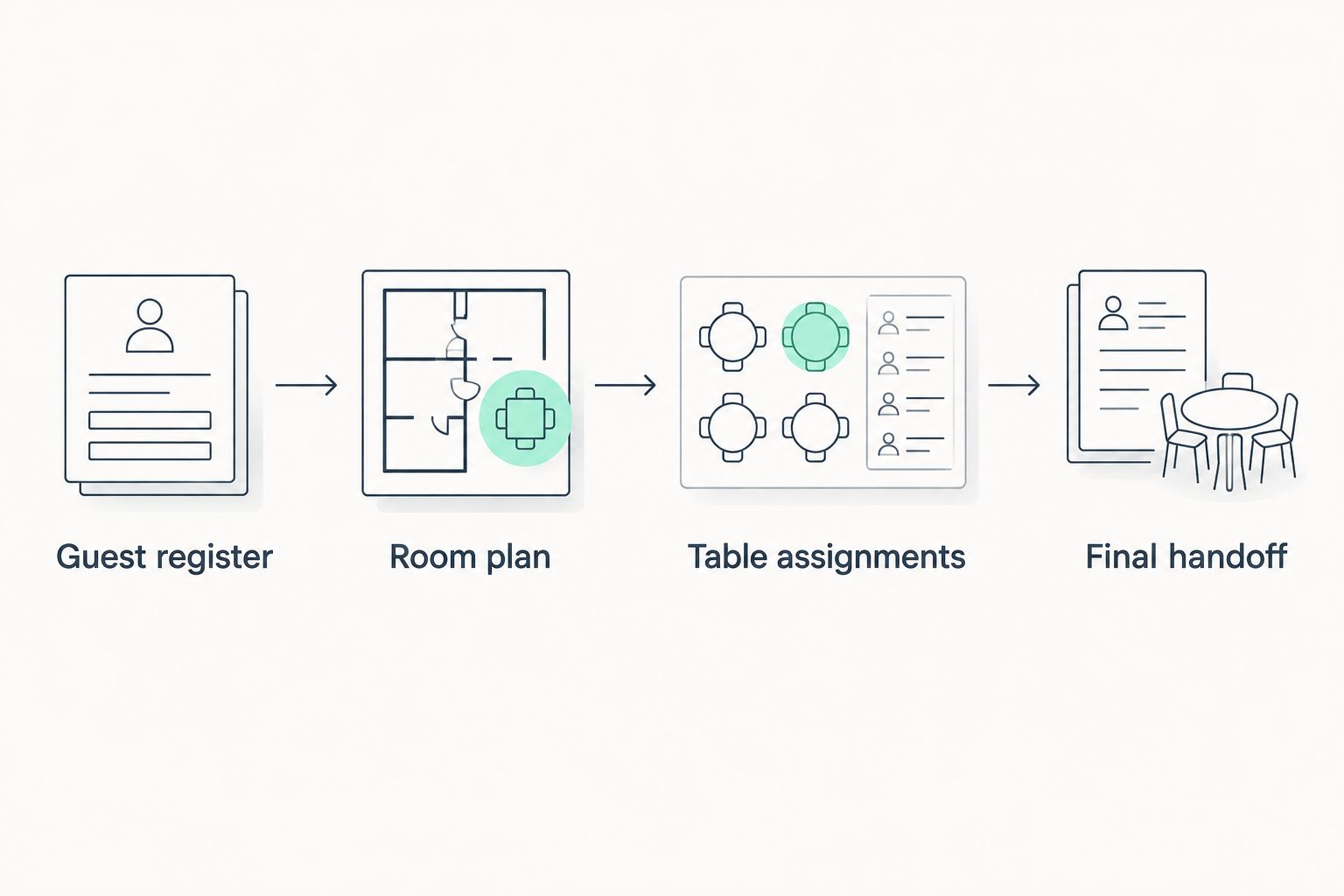
Final handoff
- Prepare separate outputs for separate readers. The guest-facing chart needs names and table labels; the venue handoff needs the agreed layout, table totals, and relevant operational instructions.
- Add a version date and approval status to each output. For your 2026 event, use a complete date rather than labels such as final-final or newest-copy.
- Send the files through the channel agreed with your venue contact. Ask for acknowledgment of the specific version rather than assuming an attachment was received and adopted.
- Name one person to handle changes after handoff. Keep a short change log showing the affected guest, previous assignment, revised assignment, and whether the venue has acknowledged the change.
Expected result: Hosts and venue staff work from the same approved version, while guests see only the information needed to find their table.
Do not send the full planning spreadsheet as the public chart. A useful working file contains information that does not belong on a display near the entrance.
Update the chart whenever an RSVP changes
A late acceptance should start in Guest register, not on a printed chart. This adjacent workflow preserves the same source of truth while accommodating changes.
- Update attendance: Change the guest's RSVP status and confirm the person's name and household relationship.
- Review placement: Add or remove the assignment, then check the affected table against its approved limit. Do not simply place a late guest at the nearest apparently empty table.
- Recheck dependencies: Review any household, access, or social-group instructions affected by the move. An empty place is not automatically a suitable place.
- Issue the revision: Update the version date, regenerate the relevant output, and tell the venue exactly what changed. Replace superseded guest-facing materials too.
Expected result: The attendance register, table assignments, and handoff agree after each accepted change.
For a 2026 event using open seating, simplify this variant: revise attendance and venue instructions without manufacturing individual assignments. The venue still needs the updated count and any agreed layout changes.
Troubleshooting
A household appears once but needs several seats
Replace the household row with individual guest rows. Retain the shared Household ID, then confirm each person's attendance separately. Recount assignments afterward; changing the register without changing the seating tab leaves the mismatch unresolved.
The totals match, but somebody has no table
Check Guest IDs rather than totals alone. Look for an attending person missing from assignments and for another person listed twice. Correct both records before approving the chart.
A table is over its approved limit
Move a guest or group only after checking another suitable table. If the approved layout cannot accommodate the confirmed attendance, ask the venue to review the plan. Do not add an extra chair to the diagram and treat that as approval.
Different people have different final versions
Identify one approved version and explicitly withdraw the others. Send the version date and a concise change summary to everyone responsible for setup. Check physical copies as well as shared files.
A guest needs a placement change after printing
Correct the working register and assignment file before replacing the display. Notify the person managing arrival and the venue contact, then check whether a place card or other seating material also needs replacement. A verbal correction alone leaves the next person consulting the old chart.
Customize your workflow
Longislandprivateevents provides Long Island private party hosting; confirm the seating deliverables and approval process directly when discussing your event. The benefit is coordinating the plan around the actual venue. The limitation is that a venue discussion does not replace accurate guest data or the hosts' placement decisions.
If you are still selecting a space, use the Long Island engagement party venue guide to structure your shortlist. Then request a proposed layout for your own celebration rather than designing around another event's pictures.
Expand the shared file only where it helps: add an arrival responsibility, a name-pronunciation note for the designated host, or a separate task checklist. Keep transport arrangements and unrelated planning detail out of the guest-facing chart.
FAQ
How do I make an engagement party seating chart for Long Island?
Start with individual confirmed guests, obtain a venue-approved room layout, and assign each attendee to a valid table. Check for missing or duplicate assignments before sharing a dated version with the venue.
Do I need assigned seats at an engagement party?
You do not need assigned seats for every engagement party. Assigned tables suit a seated celebration with flexible chair choices, while open seating suits an event where fixed placements are unnecessary.
Can I use Google Sheets for my engagement party seating chart?
Yes, Google Sheets can hold your guest register, approved table information, and assignments in separate tabs. It does not establish room capacity or approve a layout; obtain those details from the venue.
Should couples and families go on one guest-list row?
Give each person a separate row and connect related guests with a household identifier. This keeps attendance counts and table assignments tied to people rather than invitation envelopes.
What should I do when someone accepts after the chart is finished?
Update the guest register first, then check placement and the affected table's approved seating limit. Issue a revised chart and confirm that the venue has received the updated version.
Does Longislandprivateevents prepare the seating chart?
Confirm seating-chart responsibilities directly with Longislandprivateevents. Agree on who supplies the room layout, assigns guests, prepares display materials, and approves changes before building the chart.
What information should stay off a public seating chart?
Keep contact information, private relationship notes, and personal access or dietary details off the public seating chart. Display only the guest names and placement information needed to find seats.
One last thing
A matching headcount does not prove that your seating chart is correct. Before releasing your 2026 chart, ask someone who did not build it to find each attending guest by name and table. That review checks the experience guests actually have, not just the arithmetic behind it.