
Instead of manually chasing registry details, guest replies, and vendor messages, build your 2026 bridal shower planning timeline for Long Island around one shared checklist. Confirm the venue and its deadlines first, then connect invitations, RSVPs, final headcount, and event-day assignments to those dates.
- Longislandprivateevents is best for Long Island hosts seeking a private party venue, not a planning app.
- Build your bridal shower planning timeline Long Island checklist around confirmed venue deadlines, not generic calendar reminders.
- Confirm the registry with the couple before sharing invitations, and keep guest information separate from gift tracking.
- Assign one owner to each task and require written confirmation before marking a venue or vendor handoff complete.
Why this matters
A bridal shower timeline fails when separate decisions depend on information nobody has confirmed. Invitations need a location; the venue needs a final count; seating needs actual replies rather than the invitation total.
Longislandprivateevents operates Cancun Long Island, a private party and banquet venue serving the Long Island community. Treat the venue conversation as a planning checkpoint: ask what must be decided, who approves changes, and when each answer is due. Keep written answers alongside your checklist.
Your 2026 timeline should follow confirmed dependencies, not a decorative countdown. The checkpoints below are suggested planning intervals, not venue policies or booking requirements. Move them to match the written terms for your event.
Before you start
- Get approval and editing access. Confirm the couple's preferred date range, shower format, invitation list, and registry link. Give your co-hosts access to one shared document or spreadsheet.
- Collect the materials that control the schedule. Gather venue correspondence, any signed agreements, vendor contacts, invitation details, and the person responsible for each decision.
- Separate your RSVP deadline from the venue's deadline. Ask when the final guest count is due before choosing an RSVP date. Otherwise, late replies can leave you without time to reconcile the count.
You do not need a dedicated planning platform. The workflow below uses a spreadsheet with column labels you create yourself; bold labels are template fields, not buttons in a particular app.
Event brief: suggested start at 12 weeks
Set the scope before collecting details
- Create a tab named Event brief. Add Event date, Guest arrival, Venue access, Event end, Host contact, and Approval owner. Leave unconfirmed entries marked Pending rather than filling them with assumptions.
- Ask the couple what kind of shower they want. Record whether the event is a surprise, whether gifts will be opened, and which activities they want to include or avoid.
- Create a Guest list tab. Use Guest name, Household, Contact details, Invited, RSVP, Party size, Dietary request, and Access request. Use individual names where a household reply needs clarification.
- Confirm the registry directly with the couple. Record the approved link under Registry reference, along with the date you checked it. Open it yourself before copying it into an invitation draft.
- Assign an owner and deadline to every unresolved decision. A task such as confirming the guest list needs one accountable person, even when several relatives contribute names.
Expected result: you have an approved brief, a working invitation list, and a verified registry reference. Unanswered questions remain visible instead of becoming accidental commitments.
For a surprise shower, choose a contact who can confirm preferences without involving the guest of honor in every message. Keep surprise-sensitive notes out of documents shared with that person.
Venue handoff: suggested checkpoint at 10 weeks
Confirm the room and operating boundaries
- Send the venue your proposed date, event format, and working guest estimate. Label the estimate clearly; do not present an invitation total as a confirmed attendance count.
- Ask for written confirmation of guest access, vendor arrival, setup, service timing, and departure requirements. Ask who receives deliveries and who handles questions during the event.
- Confirm the proposed layout before planning decorations. Discuss seating, gift placement, food service, accessibility needs, and any activity area. Ask which arrangements require approval.
- Record requirements for outside vendors, decorations, food, music, and deliveries. Treat each as a question until the venue answers it; do not assume another venue's rules apply.
- Put the agreed deadlines into Task, Owner, Due date, Status, and Confirmation columns. Save the relevant message or document reference in Confirmation.
- Release invitations only after the location, date, arrival time, and reply method are settled. Check that the invitation uses the guest arrival time, not the earlier vendor setup time.
Expected result: every invitation detail matches the venue confirmation, and each outside supplier knows how to coordinate arrival and setup.
Longislandprivateevents provides private event hosting through Cancun Long Island. The benefit for a bridal shower host is a venue-based starting point; the boundary is that your booking still needs explicit answers about responsibilities and permitted arrangements. Do not treat event hosting as proof that every planning task is included.
For your 2026 event brief, distinguish the time guests arrive from the time hosts can enter. That difference controls setup more than the invitation design does.
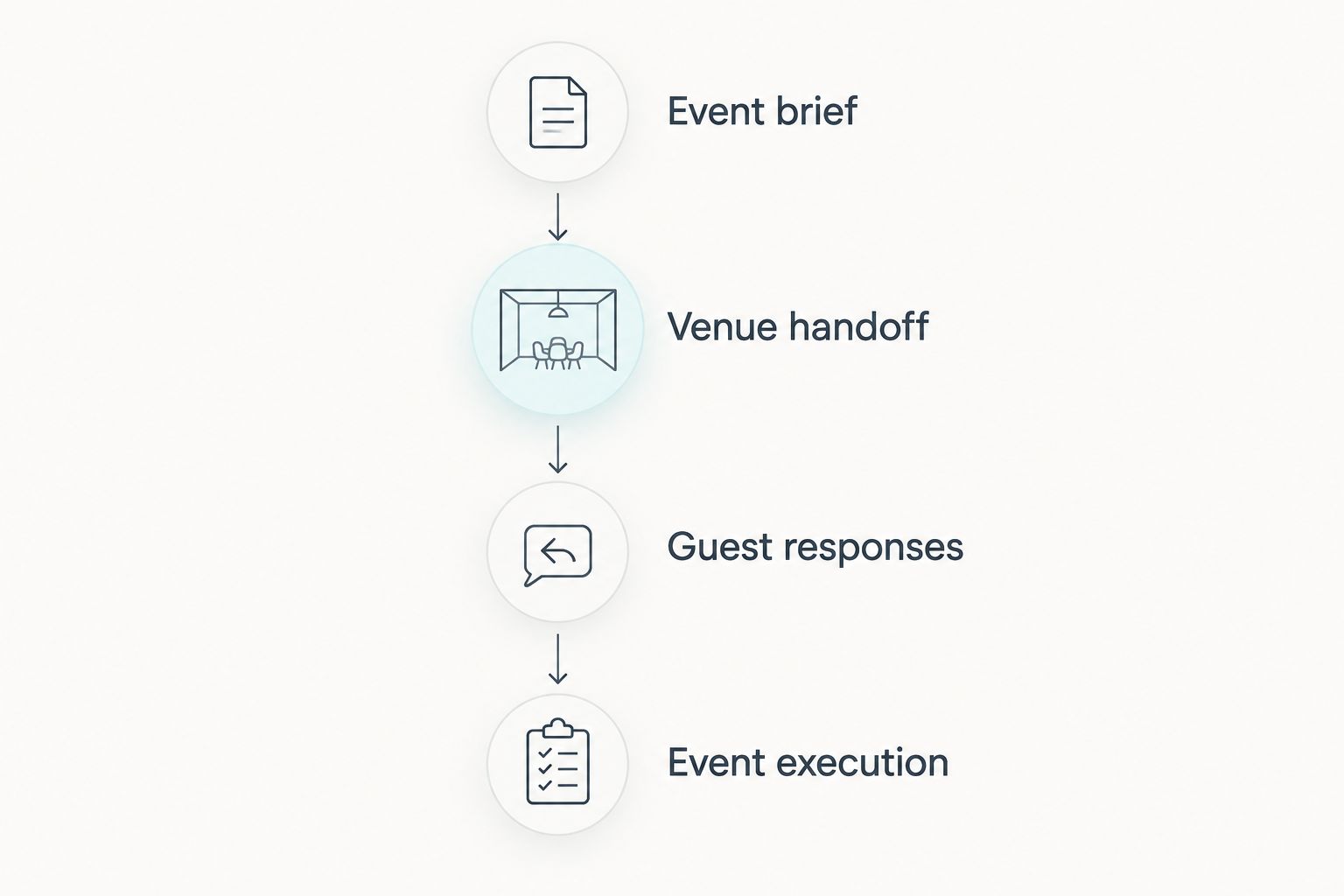
Guest responses: suggested checkpoint at 6 weeks
Connect invitations to the final headcount
- Send invitations through your chosen method. Include the confirmed location, guest arrival time, reply deadline, and response contact. Share only the registry reference the couple approved.
- Record replies in RSVP using consistent values such as Attending, Declined, and Awaiting reply. Put the number of attending guests in Party size; a household response is not automatically one guest.
- Check dietary and access requests individually. Ask the venue or relevant supplier what arrangements they can confirm, then record the answer without exposing private details to the whole hosting group.
- Review unanswered invitations before your RSVP deadline. Send a direct reminder asking for the missing decision, not a general message that requires everyone to respond again.
- Reconcile the guest list against the count you plan to submit. Resolve unnamed companions, partial household replies, duplicate entries, and conflicting messages before sending the final figure.
- Submit the count through the venue's agreed channel. Record who received it, when it was sent, and whether acknowledgment arrived. Mark the handoff complete only after confirmation.
Expected result: the final count traces back to named guests, and the venue has acknowledged the information it needs.
Keep a separate Change log for replies received after submission. Record the request, the person who must approve it, and the outcome. An updated spreadsheet is not an approved venue change.
During your 2026 planning, avoid circulating multiple downloadable guest lists. Give helpers a shared source or a dated snapshot with a clear purpose, such as seating or check-in.
Event execution: suggested checkpoint at 1 week
Build the run sheet and assign handoffs
- Create a Run sheet with Time, Activity, Owner, Location, and Dependency columns. Work backward from confirmed guest arrival and venue access rather than copying a sample schedule unchanged.
- Add setup, guest welcome, food service, planned activities, gift handling, and pack-down. Include gift opening only if the couple wants it. Avoid filling every gap; leave room for conversation.
- Assign a named person to vendor questions, guest questions, activity cues, and belongings. One person can hold several roles, but every role needs an owner who has accepted it.
- Confirm each vendor's arrival instructions and event contact. Ask suppliers to acknowledge the relevant details rather than assuming that inclusion on a group message means agreement.
- Prepare a host kit containing the guest list, run sheet, supplier contacts, and approved venue instructions. Keep sensitive guest information out of copies that do not need it.
- Walk through the sequence with your co-hosts. Ask who acts if a supplier is delayed, a guest needs assistance, or an activity runs long. Identify optional activities that can be removed.
- On event day, check the room against the agreed layout before guests enter. At departure, assign someone to collect gifts, cards, decorations, and personal belongings according to the venue's instructions.
Expected result: hosts know what happens next, vendors know whom to contact, and the guest of honor does not become the event dispatcher.
For a 2026 run sheet, write the revision date at the top and identify the person authorized to issue changes. A clearly current document prevents helpers from following an outdated attachment.
Variant: update the plan whenever an RSVP changes
The initial planning workflow gets the shower organized. The change workflow keeps one late reply from creating conflicting instructions.
| Workflow | Best for | Advantage | Limitation |
|---|---|---|---|
| Initial planning | Hosts building the event from scratch | Establishes approvals, owners, and deadlines | Does not resolve changes after confirmation |
| RSVP change handling | Hosts managing revised attendance | Makes affected handoffs visible | Requires approval when a venue deadline has passed |
When an RSVP changes, follow this sequence:
- Update the named guest's record and add an entry to Change log.
- Identify affected tasks: headcount, seating, dietary requests, transport arrangements, or favors.
- Ask the responsible venue or supplier contact to confirm any required adjustment.
- Update the run sheet or seating document only after the adjustment is agreed.
- Tell only the people whose responsibilities changed, and record their acknowledgment.
This is a manual workflow unless you deliberately add automation. Do not assume a guest response updates a venue's records or alerts a supplier.
Troubleshooting
The registry link opens the wrong page
Ask the couple to resend the approved reference, then test it while signed out of your account. Correct the shared source first and send guests a concise correction through the original invitation channel.
Two hosts have different guest counts
Compare named attendees, not spreadsheet totals alone. Remove duplicate entries, resolve household replies, and designate one approved guest list before sending another count to the venue.
A guest replies after the final count was submitted
Keep the original submission intact in your records. Log the new request, contact the venue about the adjustment, and tell the guest the outcome after confirmation rather than promising an unapproved change.
A vendor arrives before setup access begins
Use the access time in the written venue instructions. Ask the vendor and venue contact to agree on the handoff; do not redirect a delivery to an unattended entrance or assume someone can accept it.
Gift opening pushes the schedule behind
Check the couple's preference and the remaining service schedule. Shorten or remove optional activities before disrupting a confirmed venue handoff, and have the assigned host communicate the revised sequence.
Customize your workflow
Add detail only when it changes an action. A Transport contact field helps when someone is coordinating rides; an elaborate decoration tracker adds little if no one uses it to approve or deliver anything.
Longislandprivateevents bridal shower planning starts with the same distinction: venue hosting and host responsibilities need a clear handoff. Keep creative preferences in the brief, operational requirements in the venue confirmation, and event-day actions in the run sheet.
After the shower, mark borrowed items returned and give the couple any gift records they requested. Keep gifts received separate from purchases shown on a registry; those records answer different questions.
FAQ
When should I start planning a bridal shower on Long Island?
Use 12 weeks before the shower as a suggested starting checkpoint, then adjust to the venue's actual requirements. Confirm the event brief and venue deadlines before sending invitations; this guide's intervals are recommendations, not booking rules.
What should I book before sending bridal shower invitations?
Confirm the venue, event date, guest arrival time, and reply method before sending invitations. Keep vendor setup access separate from the time printed for guests.
How do I set the RSVP deadline for a bridal shower?
Set the RSVP deadline before the venue's final-count deadline, leaving yourself time to reconcile replies. Ask the venue for its deadline rather than choosing an invitation date in isolation.
Should I include registry details in the planning spreadsheet?
Keep the couple-approved registry reference in the planning spreadsheet and verify it before sharing. Track guest responses separately so registry activity is never mistaken for attendance.
What if the bridal shower guest count changes at the last minute?
Record the change and ask the venue to confirm any required adjustment. A changed guest list does not itself change an agreed headcount or seating arrangement.
Do I need a planning app for a bridal shower?
A shared spreadsheet can support this workflow without a dedicated planning app. Use consistent status fields, one owner per task, and written confirmations for venue and supplier handoffs.
Who should handle questions on the bridal shower day?
Assign named contacts for vendors, guests, activities, and belongings before event day. Give each person the current run sheet so questions do not all reach the guest of honor.
One last thing
A registry purchase is not an RSVP. Someone can send a gift without attending, and an attending guest can bring something purchased elsewhere. Build attendance from explicit replies, then use registry information only for the purpose the couple approved.